
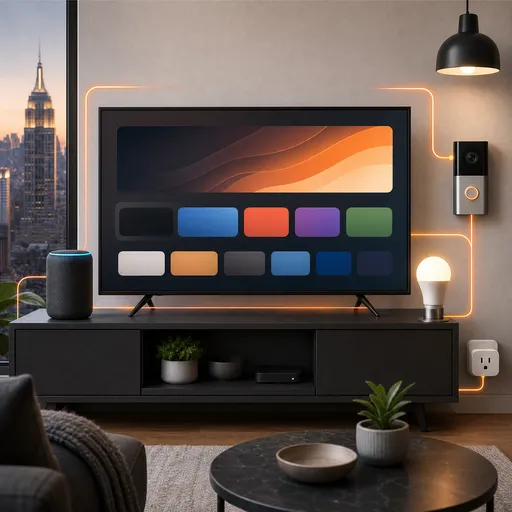
How to Set Up a Smart Home: A Beginner Guide to Smart Lights, Cameras, and Voice Assistants
Smart home technology has become more affordable and accessible than ever — but setting it all up correctly is a different story. From smart lights that will not connect to cameras that keep going offline, the setup process can be genuinely frustrating without the right guidance.
I am Mitchell Flecker, founder of FleckTech Solutions, and I help families across Saratoga Springs, Albany, and Long Island, NY build smart homes that actually work. Here is a beginner-friendly guide to getting started.
Step 1: Start With a Strong Wi-Fi Foundation
Smart home devices are only as reliable as your Wi-Fi. Before you buy a single smart device, make sure your home Wi-Fi is solid. If you have dead zones or a slow connection in certain rooms, smart devices in those areas will be unreliable. Consider a mesh Wi-Fi system if your home is large or multi-story.
Step 2: Choose Your Smart Home Ecosystem
The three main smart home ecosystems are Amazon Alexa, Google Home, and Apple HomeKit. Most smart devices work with all three, but it is easier to manage everything if you pick one and stick with it. If you have an iPhone and iPad, Apple HomeKit integrates well. If you use Android, Google Home is a natural fit. Amazon Alexa works with the widest range of third-party devices.
Step 3: Set Up Smart Lights
Smart bulbs like Philips Hue, LIFX, or Kasa are a great starting point. Install the bulb, download the brand’s app, connect it to your Wi-Fi, and then link it to your voice assistant. Once set up, you can control your lights by voice, schedule them to turn on at sunset, or control them remotely from your phone.
Step 4: Install a Smart Doorbell or Camera
Smart doorbells like Ring or Nest Doorbell let you see who is at your door from anywhere in the world. Installation typically involves replacing your existing doorbell wiring. Smart cameras like Wyze or Arlo can be placed indoors or outdoors and connect to your Wi-Fi. Make sure your camera locations have a strong Wi-Fi signal — this is the most common cause of camera connectivity issues.
Step 5: Set Up Your Voice Assistant
An Amazon Echo (Alexa) or Google Nest Hub serves as the central hub for your smart home. Place it in a central room, connect it to your Wi-Fi, and link your smart devices through the app. Once connected, you can control everything by voice — turn off all the lights, lock the front door, or check your camera feed.
Step 6: Create Routines and Automations
The real power of a smart home comes from automations. Set your lights to turn on at sunset and off at midnight. Have your thermostat adjust when you leave for work. Get a notification when your doorbell detects motion. These routines are set up through your voice assistant’s app and can save you time and energy every day.
Need Help Setting Up Your Smart Home?
Smart home setup can be tricky, especially when devices do not connect or automations do not work as expected. FleckTech Solutions offers in-home smart home setup and configuration across Upstate NY and Long Island. We will handle the entire installation, make sure everything is connected and working, and show you how to use it all.
Call or text us at (631) 319-8324 | (518) 318-8324, or book a free consultation online.