
A Simple Guide for Beginners and Seniors: How to Use a Smartphone
A Simple Guide for Beginners and Seniors: How to Use a Smartphone
Smartphones were made to be user friendly. Yet for those who didn't grow up with them, they can sometimes feel like the exact opposite. Too many apps, too many buttons, and one wrong swipe, and suddenly everything is completely different. It gets frustrating. And many, many seniors don't tell anyone that they're secretly avoiding their smartphone unless absolutely necessary. Because the truth is, you don't need to know everything about using a smartphone, just the things you're actually going to use.
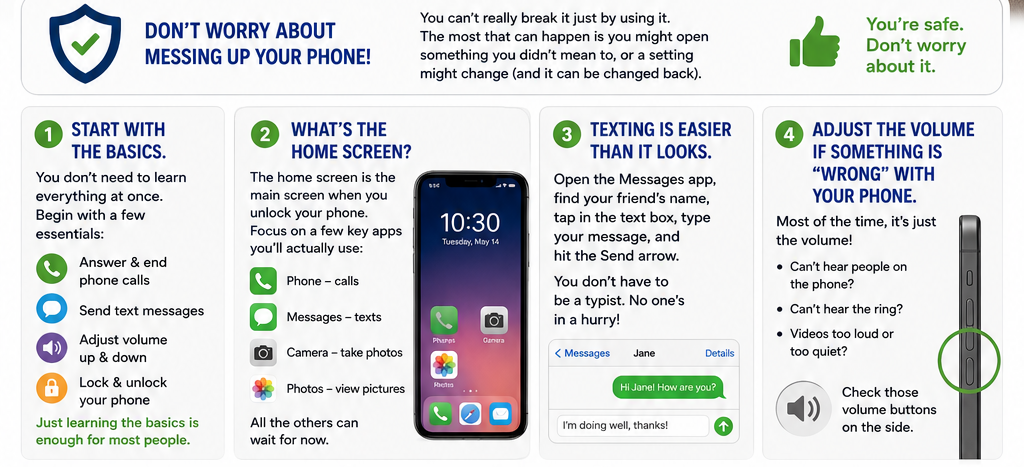
First things first, don't worry about messing up your phone! Many folks are afraid of "breaking" it. You can't really break it just by using it. The most that might happen is you might open something you didn't mean to open, or a setting might change (and then it can be changed back). You're safe. Don't worry about it.
Start with the basics.
You don't need to learn everything all at once. Start with a couple of things first like knowing how to answer (and end) a phone call, send a text message, adjust volume up and down, and lock and unlock your phone. Just learning the basics is enough for most people.
What's the home screen?
The home screen is just the main screen when you first turn on or unlock your phone. You'll see many little pictures of apps on there, apps you probably never use. Start with your home screen and only pay attention to the apps you actually use. You'll notice you'll be using the phone app (to answer and end phone calls), the messages app (to answer and send text messages), the camera app (to take pictures and videos), and the photos app (to see the pictures and videos you've taken), to name just a few. All the others can wait for now.
Texting is easier than it looks.
Many seniors tell me texting seems really confusing. But once you do it a few times it becomes simple. All you have to do is open the Messages app, find the friend's name to text, tap in the text box, type the message, and hit the Send arrow. You don't have to be a typist, no one's in a hurry, you're in control!
Adjust the volume if something is "wrong" with your phone.
You know what, most of the time your phone seems like it's just "wrong." It isn't! Usually the volume needs to be set properly. You're having trouble hearing people on the phone? You can't hear the ring on your phone? The volume on videos is too loud? Check those volume buttons on the side of the phone.
Skip the apps. Seriously.
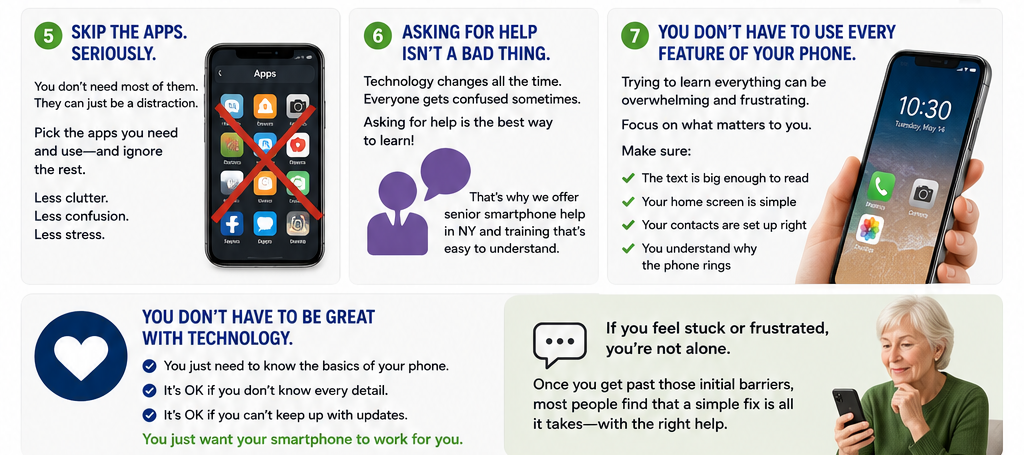
You don't need them! They can just be a distraction. If your phone came with a lot of apps already installed, you don't need most of them. Just pick the ones that you need and use them! Don't get overwhelmed by all the apps that are in your phone.
Asking for help isn't a bad thing.
Some people are embarrassed to ask for help learning how to use a smartphone. Yet it's actually very important to reach out to others for help. Many people have a difficult time learning how to use their smartphone for various reasons. The world of technology changes all the time. Even many folks who have smartphones all the time can become confused. Asking for help is the best way to get help. And that's exactly why I teach senior smartphone help in NY and offer senior smartphone training, because it's easier when you can have someone show you how!
You don't have to use every feature of your phone.
Some people get so focused on learning every part of the phone it becomes confusing, overwhelming and frustrating. It doesn't help if the writing size is too small to see, there's nothing on the home screen, the contacts are set wrong, and you don't understand why the phone rings. The solution is often simpler than you might think!
You don't have to be great at using technology, you just need to know the basics of your phone. It's ok if you aren't going to know every single detail of your phone or if you can't keep up with software updates. You just want your smartphone to work for you.
If you feel stuck or frustrated with your phone, you're not alone. Once you get past those initial barriers, most people learn that there's a simple fix to their problem once they work with someone who truly knows what they're talking about.
If you ever have questions or need help with your phone that you can ask freely without getting rushed or stressed, Mitchell Flecker, owner and IT consultant with FleckTech Solutions, offers private smartphone help for seniors in NY as well as phone training for seniors.
Schedule your free consultation here: 👉 https://flecktechsolutions.com/book-consultation